Create and manage saved lists
Build a reusable saved list by choosing a property and the individual contacts who belong in it.
What you will finish
The saved list has a clear purpose and contains only the contacts selected for it.
Before you begin
MercuryReach saved lists use manually selected contacts; there is no rules or conditions builder. List membership does not guarantee send eligibility. MercuryReach checks consent and channel eligibility again when you compose a notice.
Have these ready
- Owner Admin or Property Manager access
- A documented list purpose
- Accurate contacts and properties
Stop and ask for help if
- The audience definition is vague.
- A contact or property is uncertain.
- A similarly named saved list already exists.
Step-by-step instructions
- 1
Search existing saved lists
Open Groups and use Search saved lists with the intended name, note, or property.
What you should see: You avoid a duplicate saved list.
- 2
Open the list builder
Select Create saved list, then open Open list builder.
What you should see: The saved-list form appears.
- 3
Name and scope the list
Enter a specific Name and select the approved Property.
What you should see: A coworker can understand the list and its location.
- 4
Choose the members
Under People in this saved list, select each approved contact and recheck every selected name.
What you should see: Only intended contacts are selected.
- 5
Save and maintain
Select Save saved list. Later, use Edit saved lists to change membership, Update saved list to save, or Delete saved list only with approval.
What you should see: The saved list remains an accurate reusable audience.
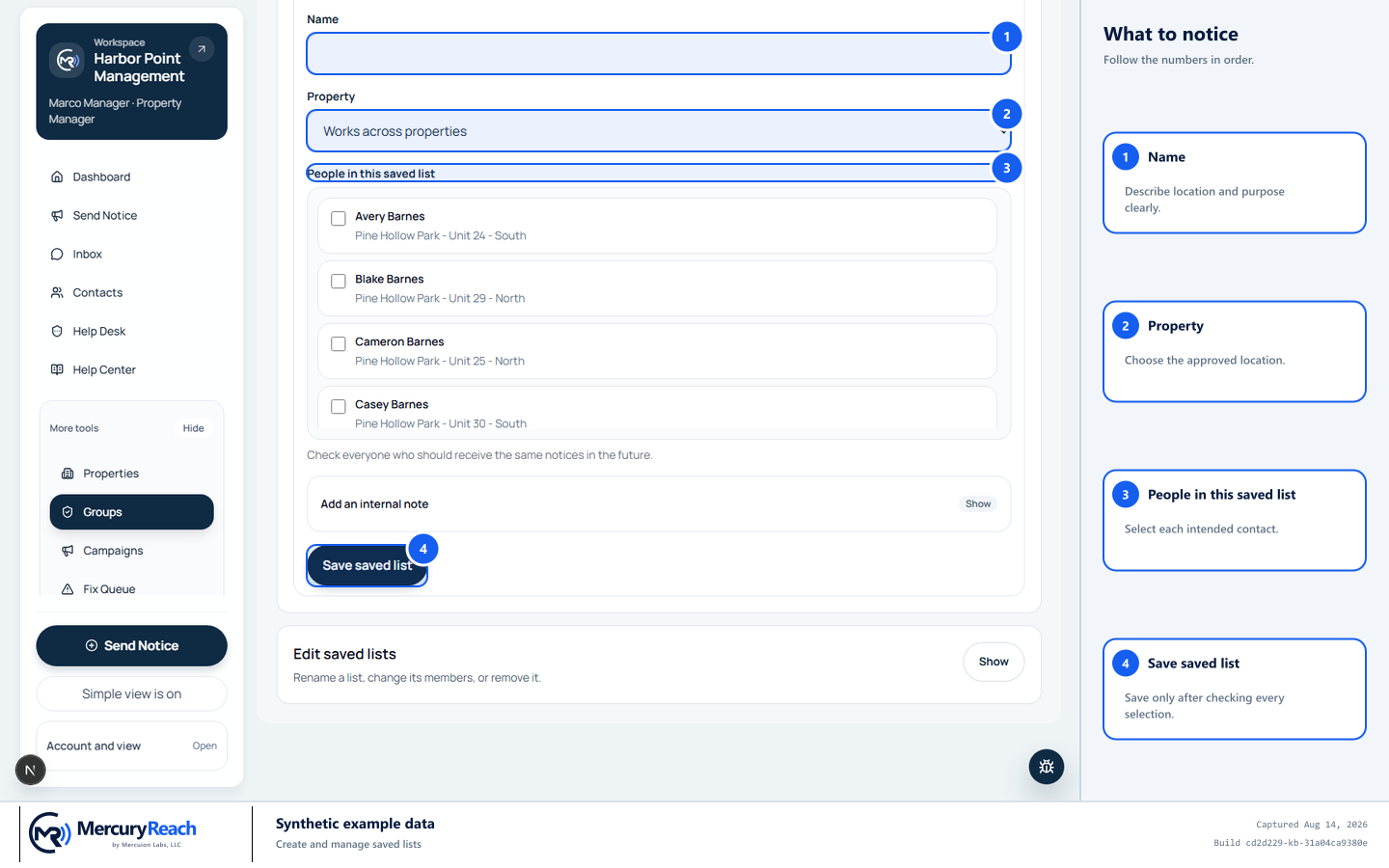
Choose the property and every list member deliberately; eligibility is checked again when sending.
- 1
Name: Describe location and purpose clearly.
- 2
Property: Choose the approved location.
- 3
People in this saved list: Select each intended contact.
- 4
Save saved list: Save only after checking every selection.
MercuryReach training image · Synthetic example data · Captured 2026-08-20
Check your work
- The name states the saved list's purpose.
- The selected Property and contacts match the approved definition.
- Campaign review is still used to check current eligibility before sending.
If something does not look right
A person is missing from the list builder.
Do not add a different person. Verify the contact belongs to the selected property and is available within your role's property scope.
You cannot edit a saved list.
Your role or property scope may not include it. Ask the Owner Admin; do not recreate it under a new name.