Open and follow a Help Desk ticket
Describe a problem clearly, attach only safe information, and track the response in one place.
What you will finish
Support receives a reproducible report without passwords, payment details, or unnecessary resident information.
Before you begin
A useful ticket explains what you expected, what happened, where, and when. Support does not need your password or an unredacted resident export.
Have these ready
- The page or workflow where the issue occurred
- Approximate time and displayed error
- Safe steps that reproduce the issue
Stop and ask for help if
- The issue is an immediate safety emergency; use your organization's emergency process.
- The attachment contains passwords, secret keys, full payment data, a client CSV, or unnecessary resident information.
Step-by-step instructions
- 1
Search existing tickets
Open Help Desk and check whether the same issue is already open.
What you should see: You avoid splitting updates across duplicate tickets.
- 2
Create a clear ticket
Use a short subject. State expected result, actual result, page, time and time zone, role, and numbered reproduction steps.
What you should see: Another person can understand and reproduce the problem.
- 3
Remove sensitive data
Use fake examples where possible. Crop or redact names, contact details, payment data, and unrelated tabs before attaching anything.
What you should see: The ticket contains only information needed for diagnosis.
- 4
Set urgency honestly
Choose the priority that matches business impact, number of users, workaround, and time sensitivity.
What you should see: Support can triage the issue correctly.
- 5
Submit and follow one thread
Submit once, save the ticket number, and add all later information as replies on that ticket.
What you should see: Status and full conversation remain together.
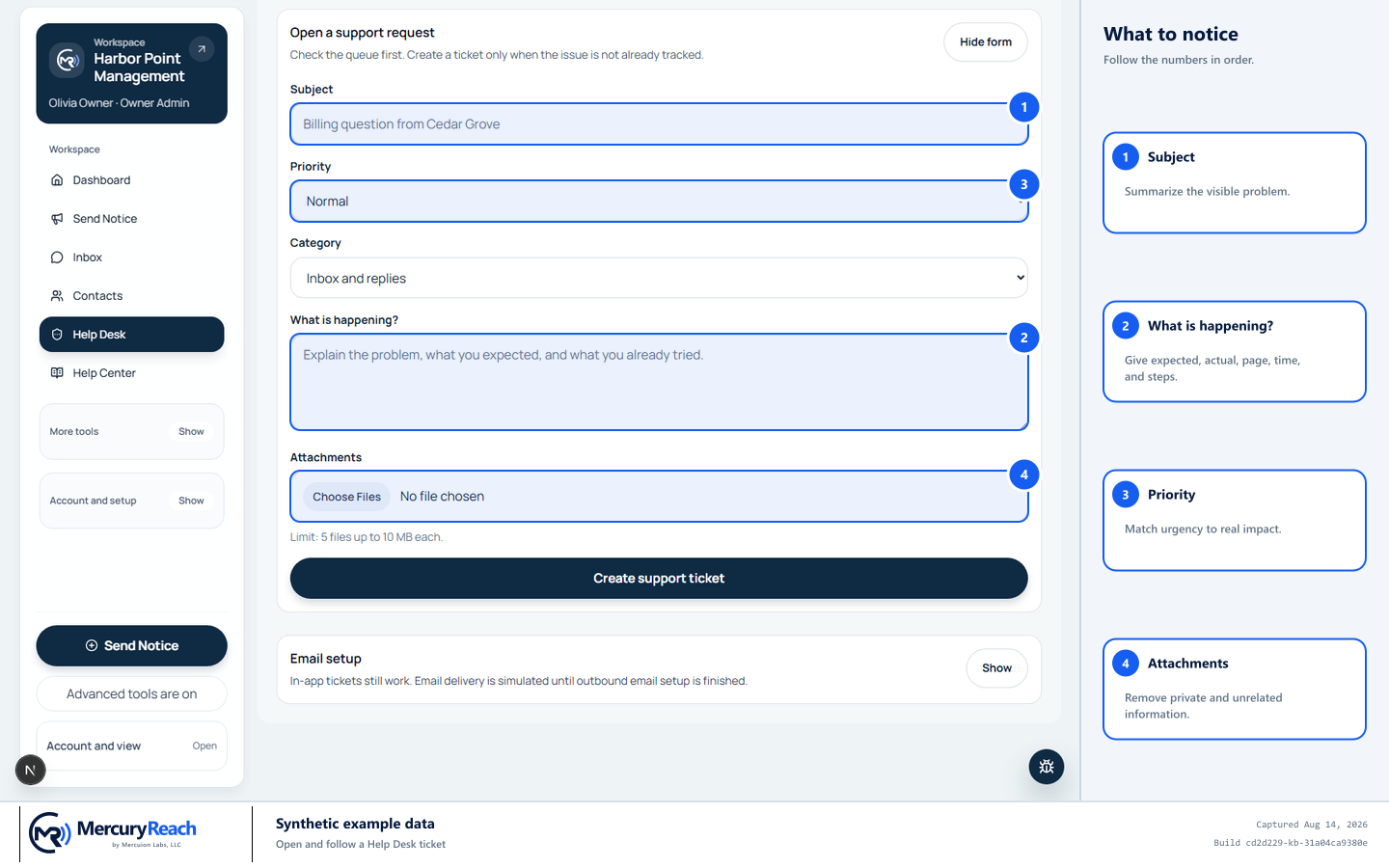
Use reproducible steps and synthetic examples; never attach client files or secrets.
- 1
Subject: Summarize the visible problem.
- 2
What is happening?: Give expected, actual, page, time, and steps.
- 3
Priority: Match urgency to real impact.
- 4
Attachments: Remove private and unrelated information.
MercuryReach training image · Synthetic example data · Captured 2026-08-20
Check your work
- The ticket has a number and visible status.
- It includes expected versus actual behavior and safe reproduction steps.
- No secret, payment data, client CSV, or unnecessary resident information is attached.
If something does not look right
The issue prevents sign-in.
If you forgot the password, select Forgot password? on sign-in and follow Reset a forgotten password. If you cannot use account recovery, contact an Owner Admin through your organization's approved method and provide the organization, email, time, and error—never a password or verification code.
You attached private data by mistake.
Report the attachment immediately in the same ticket and follow your organization's privacy incident process.