Keep your account and resident information secure
Use safe sign-in, screen, export, and support habits every day.
What you will finish
You can use MercuryReach without exposing passwords or resident information.
Before you begin
Resident names, phone numbers, email addresses, messages, and exports may be private information. Treat them as carefully as you treat account passwords.
Have these ready
- A personal MercuryReach account
Stop and ask for help if
- Stop immediately if you believe your password, device, export, or resident information has been exposed.
Step-by-step instructions
- 1
Use only your account
Keep your password private and never let another person work under your name.
What you should see: Every action is tied to the correct individual in the audit record.
- 2
Check before sharing a screen
Close resident records, downloads, and unrelated tabs before a screen share or screenshot.
What you should see: No private resident information is visible to unintended people.
- 3
Protect exports
Download data only for approved work, store it in the approved location, and remove local copies according to your policy.
What you should see: Exports are not left in Downloads, email, or personal storage.
- 4
Sign out on shared devices
Open Account and view, select Sign Out, and close the browser when finished.
What you should see: The sign-in page appears and Back does not reopen the workspace.
- 5
Report concerns
Tell your Owner/Admin or security contact what happened, when, and which records may be involved. Do not attach resident data unless asked through an approved channel.
What you should see: The responsible person can begin the organization's response process.
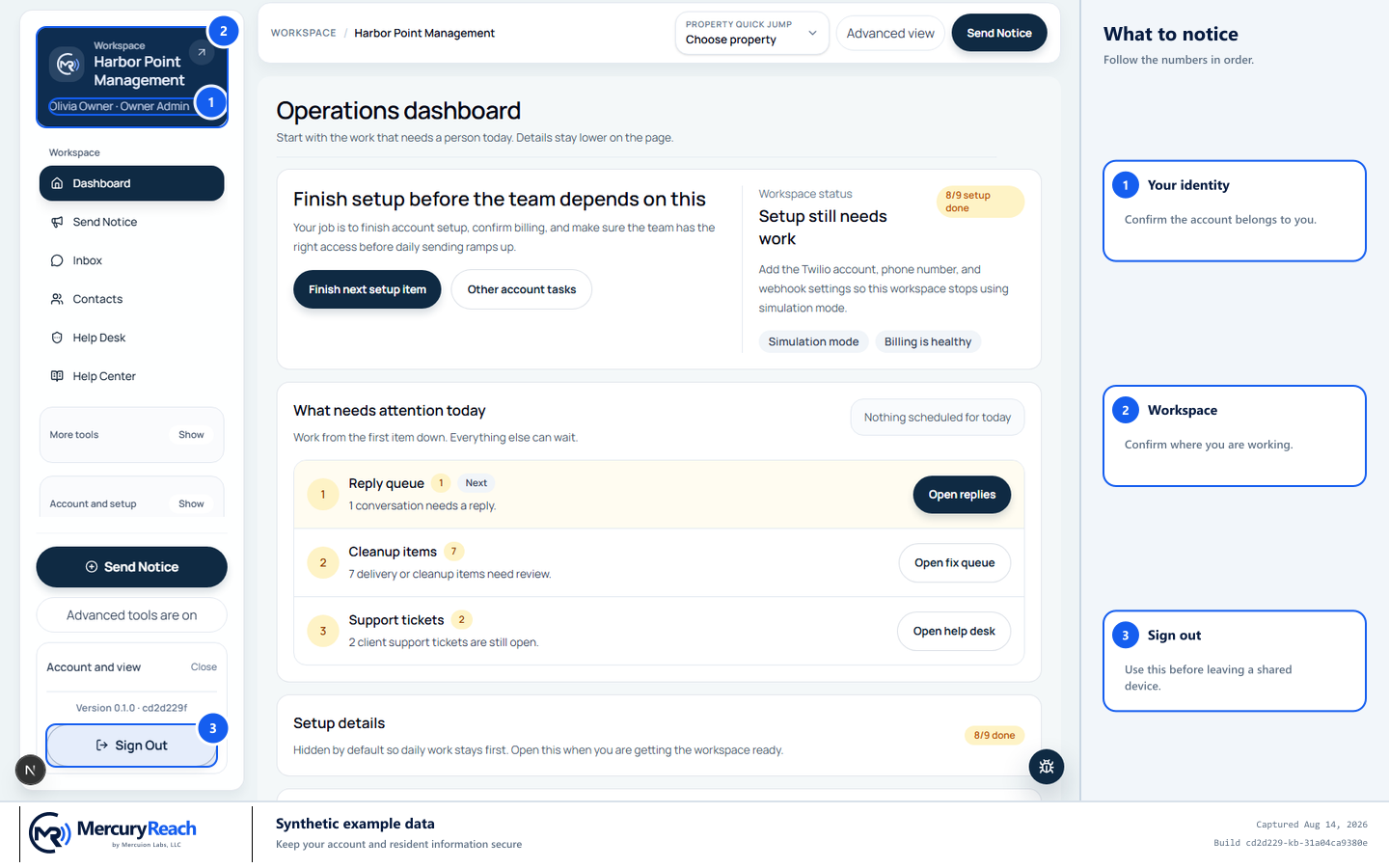
Sign out completely on shared devices and never include real resident data in support screenshots.
- 1
Your identity: Confirm the account belongs to you.
- 2
Workspace: Confirm where you are working.
- 3
Sign out: Use this before leaving a shared device.
MercuryReach training image · Synthetic example data · Captured 2026-08-20
Check your work
- You have a unique account.
- No MercuryReach exports remain in an unapproved location.
- A shared device returns to Sign in after you finish.
If something does not look right
You accidentally shared private information.
Stop sharing, preserve the basic facts, and report it immediately under your organization's incident procedure.
You received an unexpected sign-in, code, or password message.
Do not use its link or share its code. Open MercuryReach from your saved address and contact your Owner Admin.