Work within your assigned properties
Understand how property assignments limit the contacts, campaigns, and records a Property Manager can use.
What you will finish
You confirm your approved property scope and stop safely when work falls outside it.
Before you begin
A Property Manager normally works only with assigned properties. This protects other locations and keeps responsibilities clear.
Have these ready
- Property Manager access
- A manager-approved list of your current properties
Stop and ask for help if
- You can see a property or resident you are not assigned to.
- A campaign combines recipients from assigned and unassigned properties.
Step-by-step instructions
- 1
Open Properties
Review the active property list shown to your account.
What you should see: Only your assigned properties appear.
- 2
Compare with your approved list
Match every visible property to the list provided by your manager.
What you should see: There are no missing or extra properties.
- 3
Check context during work
Before editing a contact, group, or campaign, read the property name shown on the record.
What you should see: The record belongs to one of your assignments.
- 4
Request a scope change
If duties changed, ask the Owner/Admin to update the assignment. Do not use a coworker's account.
What you should see: The Owner/Admin can make and document the approved change.
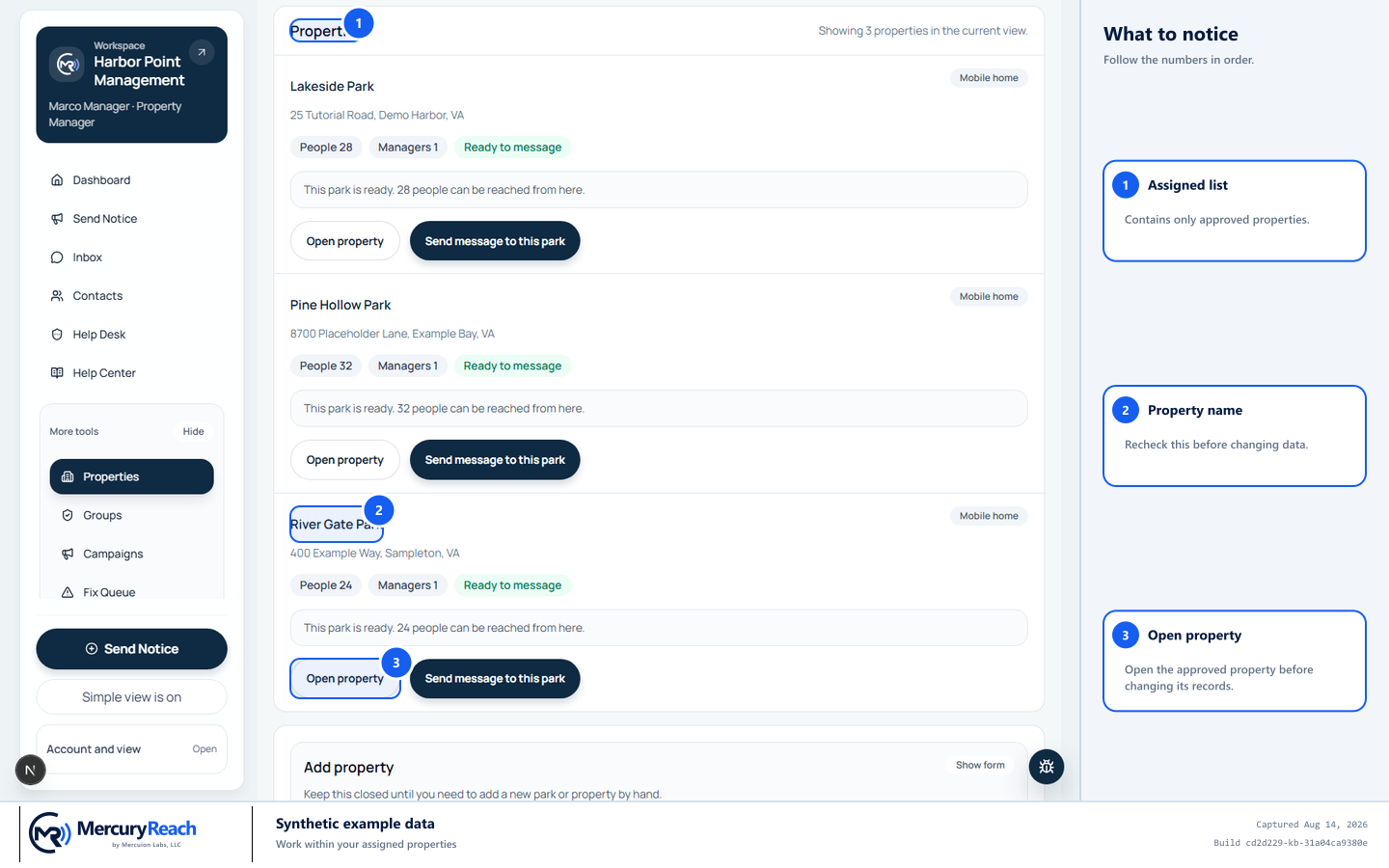
Property Managers should see and use only the locations assigned to them.
- 1
Assigned list: Contains only approved properties.
- 2
Property name: Recheck this before changing data.
- 3
Open property: Open the approved property before changing its records.
MercuryReach training image · Synthetic example data · Captured 2026-08-20
Check your work
- Your property list exactly matches your approved responsibility.
- Contacts without an approved property are not used in your campaign.
If something does not look right
An assigned property is missing.
Send the property name to your Owner/Admin and ask them to review your assignments.
An unassigned property is visible.
Do not open or change its records. Sign out and report the extra property immediately.